Creating a productive home workspace is essential for anyone working remotely or spending significant time on tasks at home. A well-designed workspace helps boost focus, reduces distractions, and keeps you comfortable, ultimately improving your efficiency and job satisfaction. Whether you have a dedicated room or a small corner, these tips can help you create an environment where you can work effectively and comfortably.
Choose the Right Location
The first step in setting up a home workspace is selecting the right spot. Ideally, this should be a quiet area with minimal foot traffic and distractions.
– Natural Light: Try to position your desk near a window. Natural light can improve mood, reduce eye strain, and increase alertness.
– Away from Noise: Avoid areas near TVs, kitchens, or busy family spaces if possible.
– Dedicated Space: Even a small, designated area exclusively for work can help your brain associate that spot with productivity.
Invest in Comfortable Furniture
Comfort plays a big role in maintaining focus throughout the day. Invest in ergonomic furniture that supports good posture.
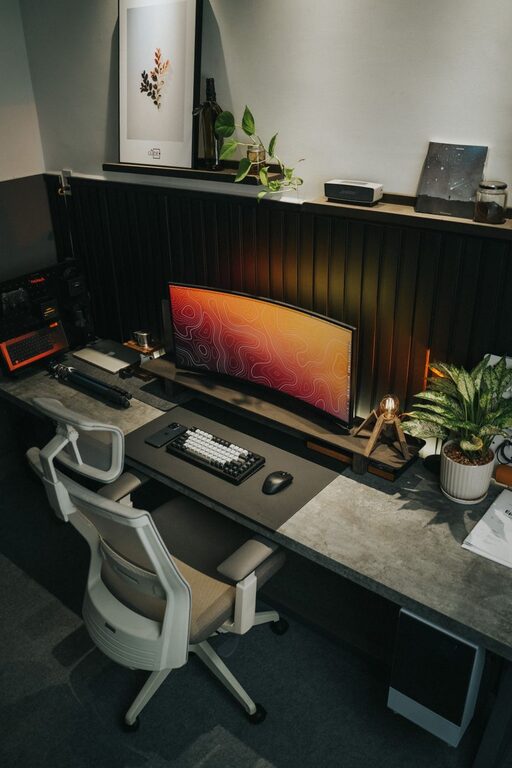
– Ergonomic Chair: Choose a chair with adjustable height, lumbar support, and comfortable cushioning.
– Desk Height: Your desk should allow you to keep your forearms parallel to the floor when typing or writing.
– Adjustable Setup: Consider accessories like monitor stands, footrests, or adjustable desks to customize your workspace to your needs.
Organize Your Workspace
A cluttered desk can lead to a cluttered mind. Keeping your workspace organized helps minimize distractions and keeps necessary tools at hand.
– Declutter Regularly: Remove unnecessary items and keep only the essentials on your desk.
– Storage Solutions: Use drawers, organizers, or shelves to store office supplies neatly.
– Cable Management: Use clips or cable organizers to keep cords tidy and prevent tangling.
Optimize Lighting
Good lighting reduces eye strain and maintains energy levels.
– Task Lighting: Use a desk lamp with adjustable brightness to illuminate your work area without glare.
– Avoid Screen Glare: Position monitors to prevent reflections from windows or overhead lights.
– Consistent Light: Aim for soft, even lighting rather than harsh or overly bright sources.
Minimize Distractions
Reducing distractions in your workspace helps you maintain concentration.
– Noise Control: Use noise-canceling headphones or white noise machines if background noise is unavoidable.
– Turn Off Notifications: Silence phone notifications and limit access to social media during work hours.
– Clear Boundaries: Communicate work hours and boundaries to family members or roommates to reduce interruptions.
Incorporate Personal Touches
Adding a few personal elements can make your workspace inviting and motivating.
– Plants: Small indoor plants improve air quality and add a calming touch.
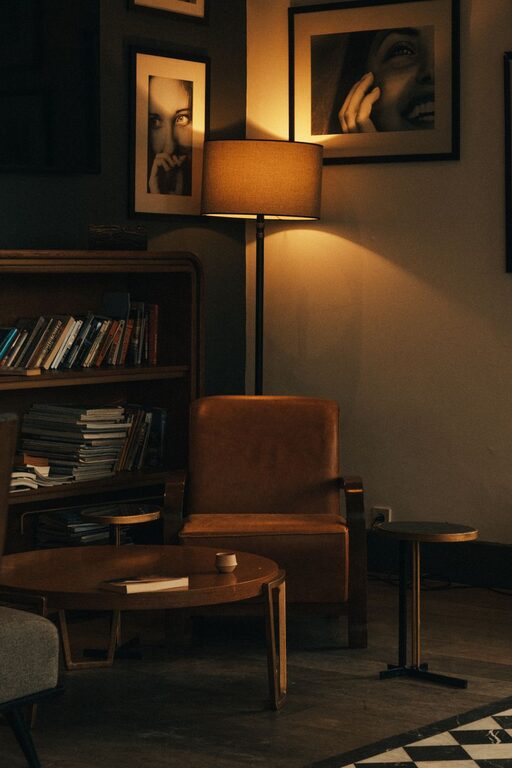
– Artwork or Photos: Decorate your walls or desk with inspiring images or quotes.
– Comfort Items: A cozy blanket or ergonomic wrist rests can increase comfort.
Maintain a Healthy Routine
Your workspace setup goes hand in hand with your daily habits.
– Regular Breaks: Follow the 20-20-20 rule — every 20 minutes, look at something 20 feet away for 20 seconds to reduce eye strain.
– Stretch: Take time to stretch or move around to prevent stiffness.
– Hydration and Snacks: Keep water and healthy snacks nearby to stay energized.
Use Technology Wisely
Leverage technology to enhance your work experience, but don’t let it overwhelm you.
– Monitor Setup: Use at least one monitor to increase productivity, positioned at eye level.
– Keyboard and Mouse: Choose devices that are comfortable and responsive.
– Software Tools: Utilize apps to manage tasks and minimize distractions, but be mindful of overuse.
Keep It Flexible
Your needs may change over time, so keeping your workspace adaptable helps maintain productivity.
– Modular Furniture: Use items that are easy to rearrange.
– Multi-use Spaces: If your work area doubles as a personal space, set up quick ways to transition between work and relaxation modes.
—
By paying attention to location, comfort, organization, and environment, you can create a home workspace that helps you stay focused and comfortable. The right setup supports your well-being and helps you perform at your best, no matter where you work. Start with small changes, and experiment to find what works best for you.
About the Author